A major live-streaming platform · AI highlight clips · 2026
AI cuts the highlights. Creators need to trust them, and not miss them.
The platform wanted AI to cut every stream into highlight clips. When AI gets it wrong, the creator looks bad. I led the flows and specs. With the PM, I decided when to tell creators, what to show them, and who presses publish.
Role
Product Designer (freelance): flows, wireframes, specs, decision docs
Team
PM, in-house designer (design review)
Duration
2026
700M+
Yearly visits (platform scale)
3
Handoff principles
A / B
Options handed to the PM
The brief
“After each stream, use AI to cut highlights for creators to publish.”
The earlier wireframe came back from review with seven comments. Before changing anything, I sorted them.
Do as asked
Do it, and go one step further
Turn into an A/B choice
Ask first
Design decisions
Don't let AI clips get missed or published by mistake
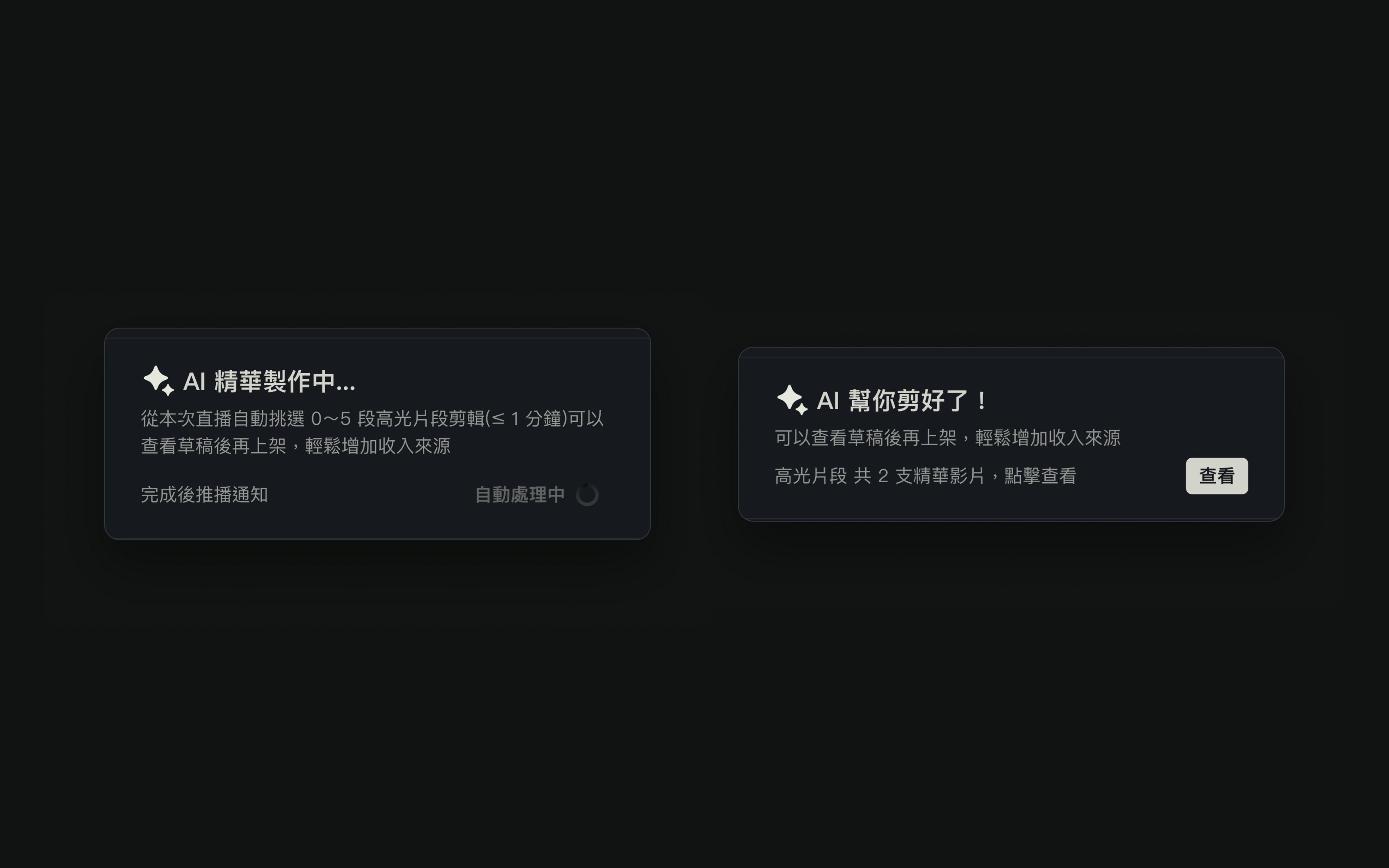
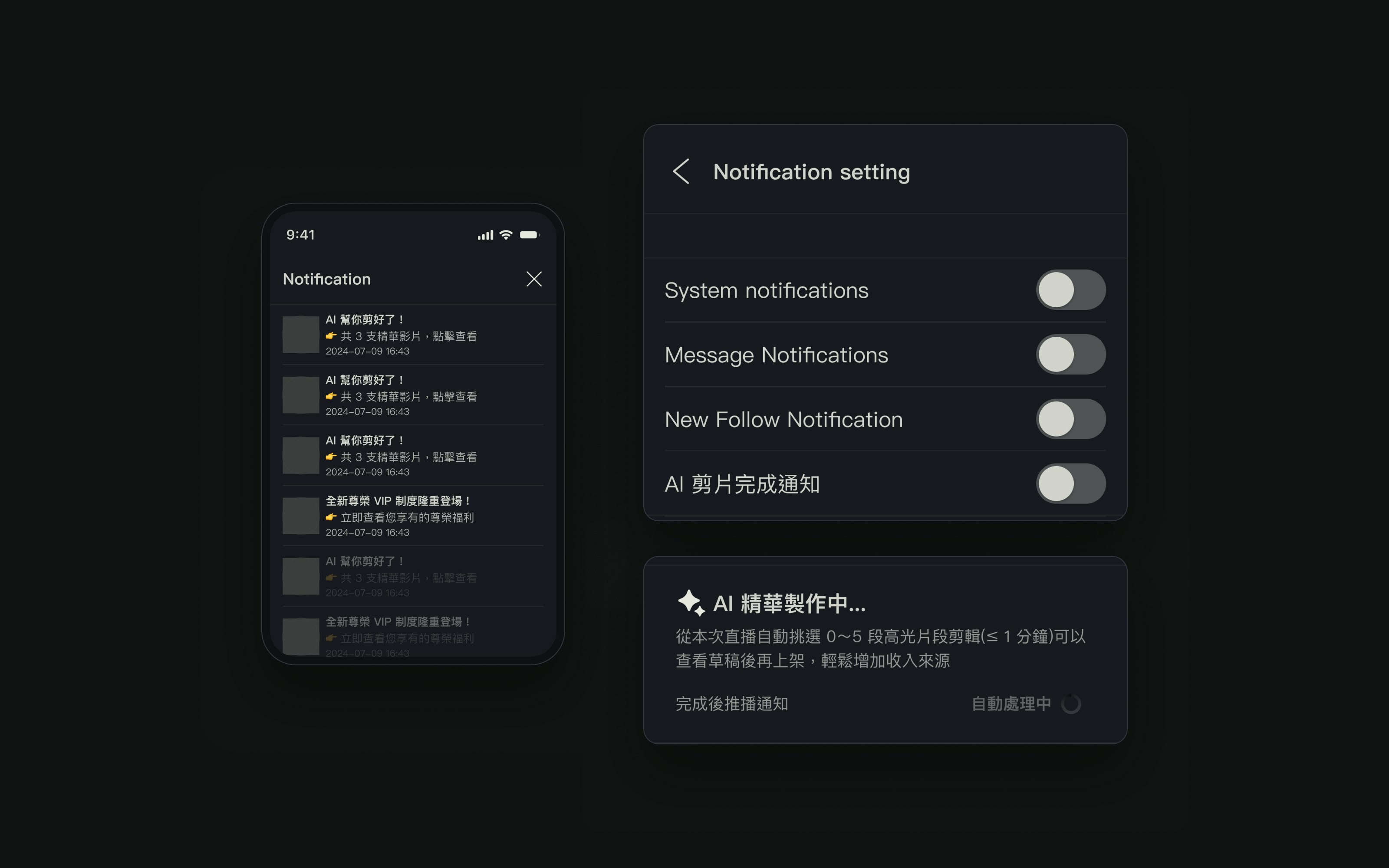
Visible even with push off
Even with push off, the notification center and profile still show what AI made. Right after a stream, a notice says highlights are in progress, so nobody thinks the feature broke.
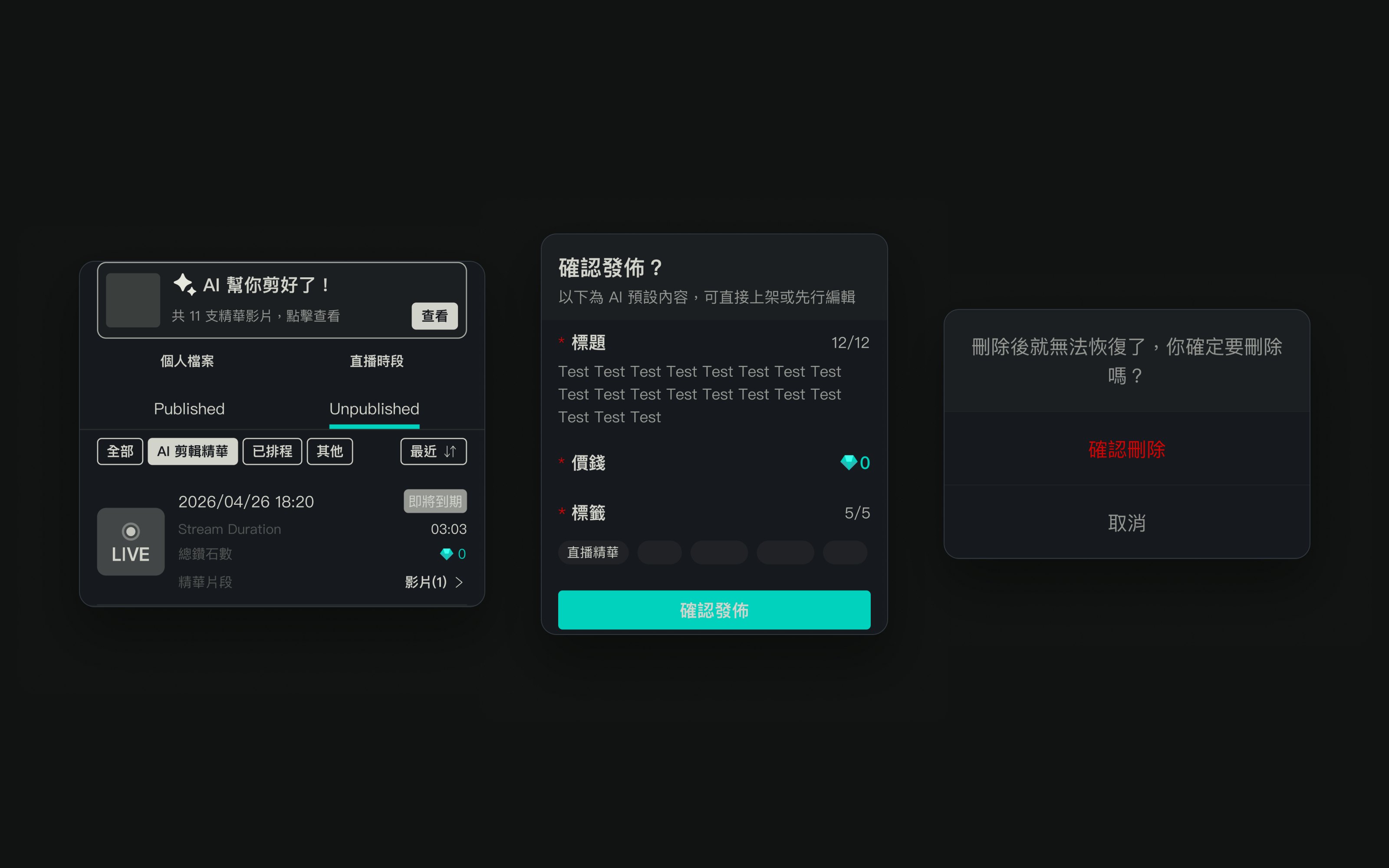
Drafts flag what's expiring. Publish and delete ask first.
Drafts flag clips expiring within three days, and publish opens a check of the AI's title, price and tags. AI can pick the wrong moment or title, so a person takes the last step.
The key step
I turned the open question into two options the PM could compare
Whether clips should show which stream they came from shaped the whole drafts page. I built both versions end to end and wrote down who each one suits.
How often does your creator stream?
Drag the slider. The same 11 clips switch to the layout that fits. Redrawn from the wireframes.
One card per stream with days left and clip count; tap to expand. For daily streamers, it stays findable as clips pile up.
Status and reflection
The hard part of this AI feature was the handoff to people
Wireframes and decision docs are delivered. The requirements kept changing after that, but the handoff rules stayed: don't let clips be missed, don't let them go out by mistake, and always show their status. After launch I'd track draft opens, draft-to-publish rate, drop-off at the publish step, and how many creators turn notifications off.
If I did it again, I'd show both versions to a few creators and let their reactions shape the trade-off. This time I relied on reasoning alone.